Mobile apps create a unique legal position that won't always be covered by standard legal agreements. An End User License Agreement (EULA) sets out clear rules for, and limitations on, how your app users must act. Here's what you need to know and do.
Our Free EULA Generator is built to help you create a professional drafted End-User License Agreement. Just follow these steps:
- On our website click on the "Generate Free EULA" button.
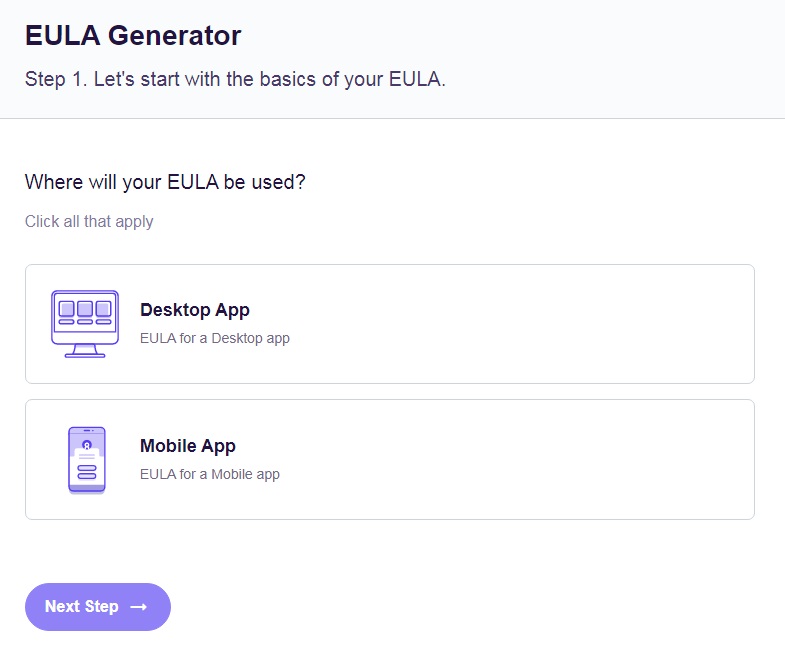
- Start with the basics, select the type of app and click "Next step":
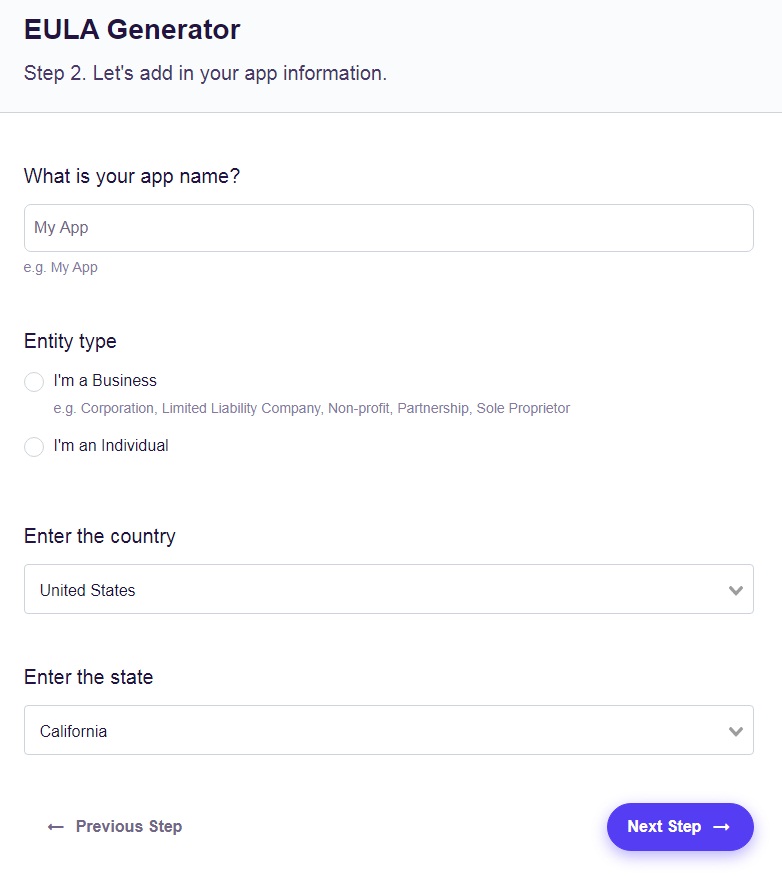
- Add your app information and enter the country:
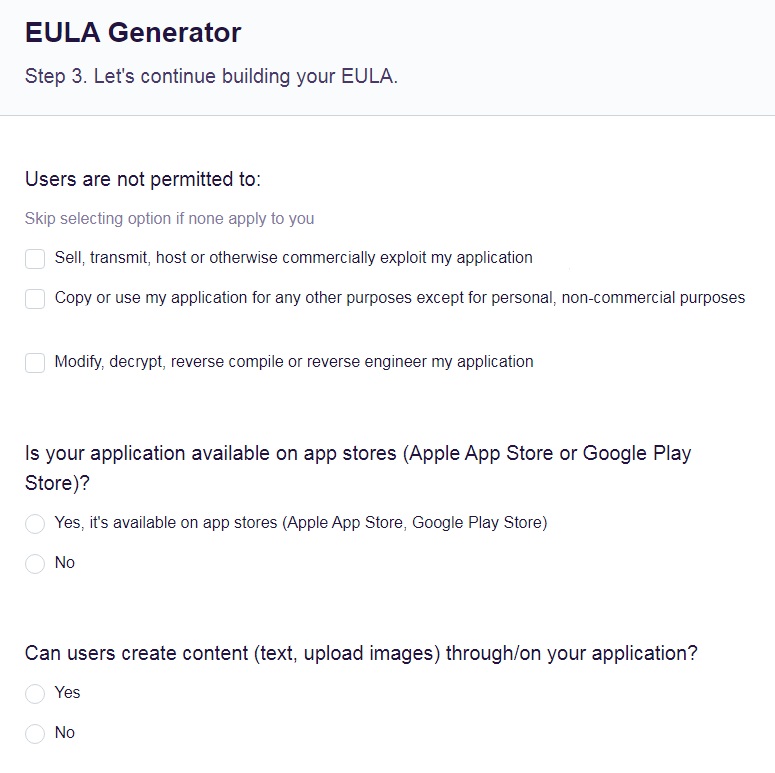
- Customize your EULA and answer a few questions about your app:
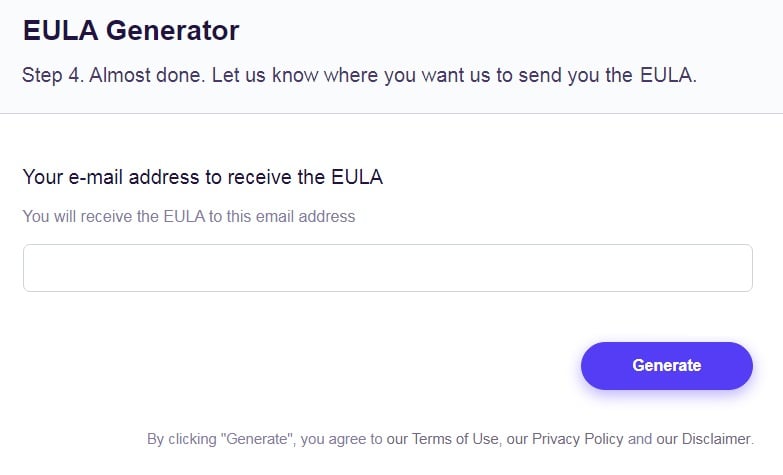
- Now just add your email address to receive your EULA and click on the "Generate" button:
- You're done! You'll be able to instantly access and download your new EULA.
- 1. What is an EULA?
- 2. Why Do I Need a Mobile App EULA?
- 3. Is a Mobile App EULA Only for Paid Apps?
- 4. Is a Mobile App EULA the Same as a Terms & Conditions Agreement?
- 5. What to Put in a Mobile App EULA
- 5.1. Identity & Contact
- 5.2. License
- 5.3. Third Party Involvement
- 5.4. Terms of Use
- 5.5. Liability
- 5.6. Warranty
- 5.7. Device Compatibility
- 5.8. Intellectual Property
- 5.9. Governing Law
- 5.10. Privacy
- 5.11. Changes
- 5.12. Termination
- 6. How to Present Your Mobile App EULA
- 6.1. Apple Store
- 6.2. Google Play
- 6.3. During Installation
- 6.4. In App
- 6.5. On Site
- 7. Summary
What is an EULA?
An End User License Agreement (EULA) is a legal agreement that covers how somebody can use software and any restrictions on that use. It also details the wider legal relationship between the software developer and the user.
Why Do I Need a Mobile App EULA?
While you should always have a legal agreement when providing a product or service, distributing software raises specific legal issues. An EULA is specifically designed to address such issues.
With most products you buy something physical: when you buy a hammer, the retailer no longer has the hammer. You can then sell the hammer to someone else later on, at which point you no longer have it. This makes the legal agreements somewhat simpler.
With software, including apps, the legal situation is different in two main ways. First, the customer is not buying something to own in a way that means the seller no longer has it, or that the customer can resell it. Second, what the customer is really paying for is not the software itself, but rather the right to use the software.
Rather than selling a product or service, a mobile app developer is licensing the right to use the app. The EULA sets out the extent of, and limits on, that right.
Is a Mobile App EULA Only for Paid Apps?
No, you should use an EULA for all apps, even free apps. That's because you still need to control the way people use it, protect yourself, and reduce the risk of legal dispute. You can insist users agree to an EULA before getting an app free of charge.
Is a Mobile App EULA the Same as a Terms & Conditions Agreement?
No, an EULA is not the same as a T&C agreement. A mobile App EULA will usually work either in place of, or along with, a Terms and Conditions agreement. While some of the clauses in an EULA may be similar to those in a Terms and Conditions agreement, it specifically addresses the licensing issues.
Another difference is that Terms and Conditions agreements are usually between a retailer and a customer. An EULA is between the customer and the software developer, which may not be the same as the seller (for example a video games store and a games developer.) With a mobile app, an EULA is between the app developer and the customer, regardless of whether any third parties (such as an app store) receive or handle any payments.
What to Put in a Mobile App EULA
Consider all of the following clauses and include them if they are relevant to your app and business.
Identity & Contact
Give the name and contact details of your organization. This will avoid any confusion about who owns the rights to the app and is granting the license to use it.
420 Kingdom splits this information between a definitions section:

And a contact section:
License
Make it clear that the customer is getting a license to use the software, rather than buying anything outright. Then detail exactly what that license covers: in other words, the limits on that usage. Common examples include limiting the usage rights to cover:
- A particular time period.
- A limited number of devices.
- A number of different users. (With an app, this could cover the number of user accounts.)
- Total time using the app.
- Use in a particular region or country.
- Non-commercial use only.
With an app, you should be particularly clear on how many devices the customer can use the app on in total, along with any limitation on simultaneous use on multiple devices.
Accenture makes things clearer by explaining not only what the license covers but a specific example of what it does:

Third Party Involvement
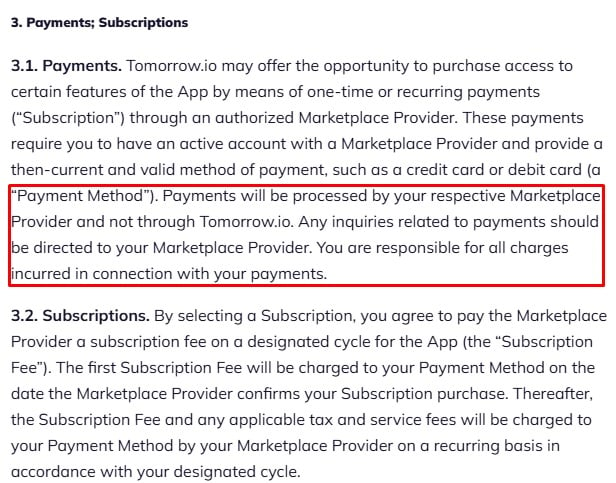
Detail whether the EULA is subject to any policies of third parties, most notably app store operators. These stores may have rules that override or complement the EULA, most notably with refund policies (including any trial periods). Make clear when and how such rules apply and how the user can get full details from the third party.
Tomorrow.io gives a specific example of how payments work with a third party "Marketplace Provider" such as an app store:
Terms of Use
Clearly set out any restrictions on how the customer can use the app, along with any consequences of doing so. Common examples include bans on using the app to:
- Do anything illegal.
- Breach intellectual property.
- Cause harm to computer systems.
- Cause harm to, or harass, other users.
- Modify the software.
- Reverse engineer or decompile the app. (In other words, to access the underlying code to potentially figure out how the software works.)
It's important to set out such restrictions clearly as this will create a contractual obligation on the user. This means you could take legal action against them even if they haven't broken any criminal laws.
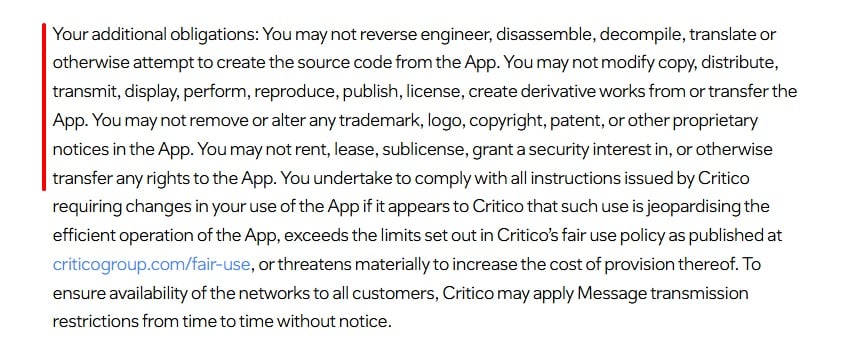
Critico gives a comprehensive list of restrictions:
Liability
Clearly explain any limits on the liability (responsibility) you accept for the software. This is primarily about whether and how you are responsible for any harm caused by the app. This includes consequential losses, for example if somebody uses your app for their business and loses revenue when it doesn't work properly.
You have three main ways to detail the liability you accept:
- List specific limits (such as a financial amount or a particular type of liability).
- Say you only accept responsibility for specific, listed situations and exclude everything else.
- Combine these two approaches.
Check local laws as it may be unenforceable or even unlawful to exclude some types of liability, though these are less likely to apply to apps.
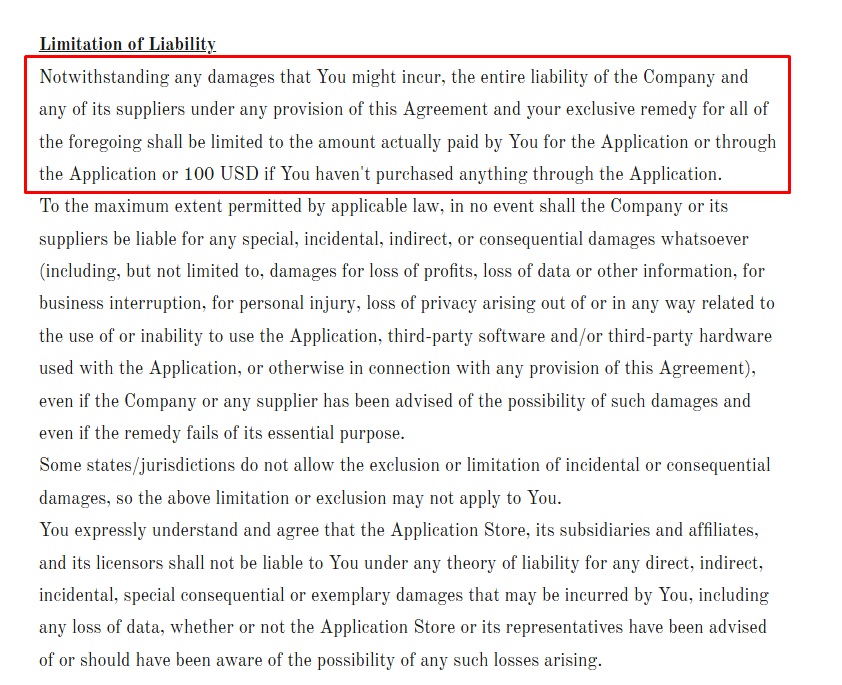
Pleasantrees gives a specific financial limit to its liability alongside a more general exclusion:
Warranty
Clearly detail what warranties (promises) you are and are not making. Points to consider include:
- The app working on a particular device.
- The app always working.
- The app performing a particular function or achieving a particular outcome.
- The app being permanently available.
The best way is usually to specifically state what warranties you are making and then exclude any other warranty. Specify that this includes implied warranties (where somebody might assume a warranty applies unless you expressly say otherwise.)
Remember that a warranty clause won't always override consumer law or any rules an app store imposes on you.
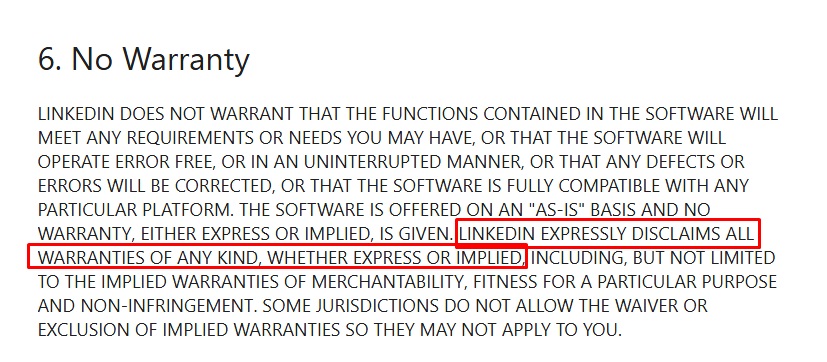
LinkedIn specifically disclaims all warranties (except where the law doesn't allow it):
Device Compatibility
Clearly state it is the user's responsibility to make sure their device is compatible with the software. For a mobile app this could include which version of the operating system they must run and any specifications such as screen size or processor.
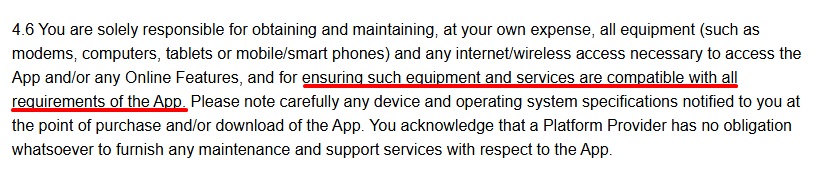
Square Enix emphasizes the user's responsibility in this area:
Intellectual Property
Set out your position on three key points:
- Establish what intellectual property you hold in the app and how this affects what users can and cannot do (eg copying the app or sharing screenshots.)
- Detail who holds the intellectual property in any content users create with the app.
- Make clear you are not responsible if the user violates a third party's intellectual property by using the app.
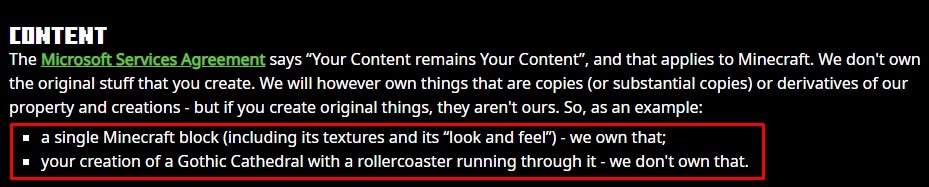
The Minecraft EULA uses very clear language to explain its position:
Governing Law
Detail any condition you want to apply to any legal dispute about the app and the EULA. The three most common conditions are:
- Jurisdiction: Which country or area's law will govern the agreement and any dispute.
- Venue: Which court system will hear any dispute.
- Alternative resolution: Say if you and the user must go through an alternative dispute resolution method (such as arbitration) either before or instead of going to court.
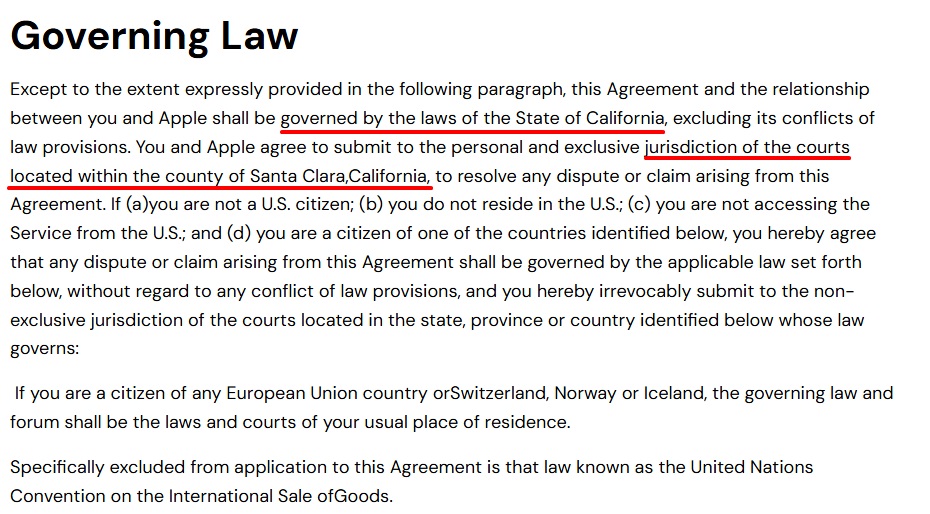
The SmartBP EULA designates both a jurisdiction and a venue:
Privacy
If you have a standalone privacy policy, link to it from your EULA. You can include a brief summary of the key points in the EULA as well but make clear this is not the entire privacy policy.
If you don't have a separate privacy policy, briefly summarize what types of personal data your app collects, how and why you use it (including sharing or selling it), what personal data rights the user has, and how to exercise these rights.
Remember that having a separate Privacy Policy is a legal requirement in many countries (including countries where your users reside.) Google Play also requires that all apps link to a dedicated Privacy Policy.
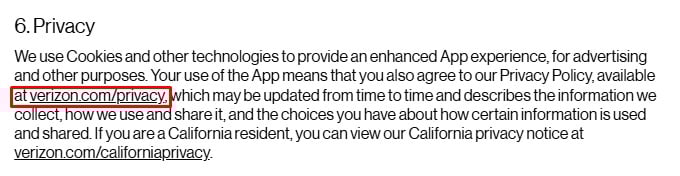
Verizon gives a brief summary of its personal data use and then links to its full policy:
Changes
Note that you have the right to change the terms of the EULA later on. Say how you will notify users about this change and what they can do if they do not want to accept the change.
Smartsheet sets out how changes will work:

Termination
Detail how and when the EULA will end. Include details of:
- How and why you can end the agreement. (This could include a license period ending, a user breaching the EULA, or at your discretion without a stated reason.)
- How and why the user can end the agreement (usually by uninstalling the app.)
- What the user must do when the agreement ends (eg uninstall the app.)
- Any other consequences such as you deleting their account and any content or information (such as player profiles or characters) created in a game.
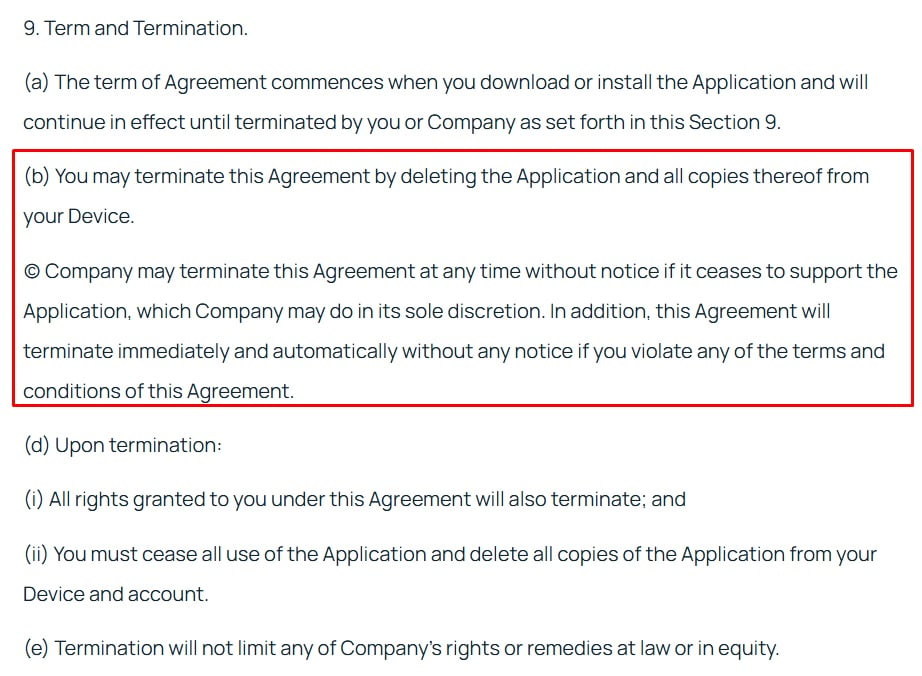
Armstrong Software explains how either side can terminate the EULA:
How to Present Your Mobile App EULA
Make sure users have a reasonable opportunity to see your app both before and after the buying, install and run it. This will make it easier to enforce the EULA if there's a dispute.
Apple Store
Apple requires a EULA for all apps in its store. By default, Apple will use a standard EULA for your app. This may not meet your needs, so you must actively replace it with your own EULA. To do so, go to your app management page in the store, click "App Information", look for "License Agreement" and click "Edit", then choose the "Apply a custom EULA to all chosen countries or regions" option.
You will then need to cut and paste your EULA into the text box. Note that any HTML coding will be removed, so check the EULA is still readable and formatted correctly in plain text.
Google Play
Google does not require a EULA for apps in the Google Play store but does let you have one. The only restriction is that you cannot have any terms in your EULA that conflict with your own distribution agreement with Google (which you sign up to when using the Google Play store.)
Google does not have a specific field to list your EULA on your Play Store entry for the app. The easiest way to share your EULA is on your dedicated developer page in the store (which lists all of your apps) and includes a link to your website. You can point this link to a page with the EULA on your website, rather than your homepage. As this link is not particularly clear or prominent, do not rely on this as the only way to make your EULA available.
During Installation
If you allow direct download and installation without a major app store, include a clear link to the EULA on your download page and during the installation process.
In App
Include a clearly marked way to view the EULA in the app itself, for example through a menu link, settings section or "about" section. Remember to format the EULA in a way that is readable on a mobile device: don't have a fixed width or type size that won't work on a phone screen.
On Site
If you only have one app, or if the details in the EULA are similar in all your apps, you can put the EULA on your website in a clearly marked location. Don't rely on your website as the only place to put the EULA unless the only way to get the app is as a direct download.
Anima links to its mobile App EULA through the navigation menu that appears on all pages of its website:

Summary
A EULA is an agreement between a software developer and a user, setting out the specific terms and restrictions under which the user is licensed to use software. This can include mobile apps, whether or not you charge for them.
A EULA should include many or all the following clauses: your identity; license restrictions; third party involvement; terms of use; limitation liability; warranty disclaimer; device compatibility intellectual property; governing law; privacy; changes; and termination.
Make sure users can see the EULA before and after buying or downloading software, installing it, and running it. You can add your EULA to your Apple Store listing, but you will need to use a link from your Google Play listing to your website. You should also have the EULA readily accessible in the app itself.